Make your own GTA cover art
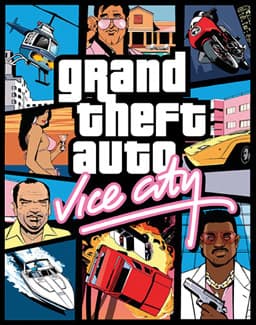
Free online cover makers for the iconic Grand Theft Auto box art: GTA 6, GTA 5, GTA 4, San Andreas and Vice City. Pick a game, drop in your own photos, position and zoom them, then download a 1666 by 1920 PNG.
Choose your GTA cover maker
Five covers, one tool: GTA 6 cover maker, GTA 5 cover maker, GTA 4 cover maker, San Andreas cover maker and Vice City cover maker. Each grid is traced from that game's own box art, and every cover exports at 1666 by 1920 pixels.
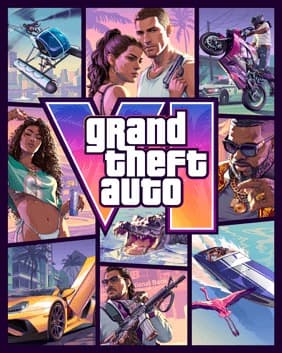
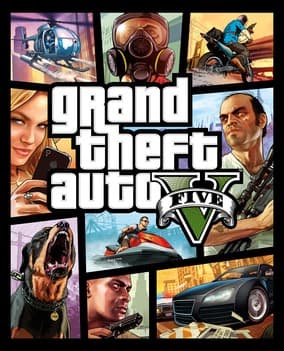
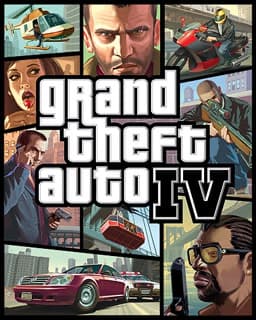
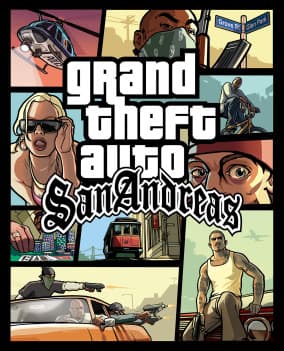
Free online tools
What is the GTA Cover Maker?
The GTA Cover Maker is a collection of free browser tools that recreate the look of the official Grand Theft Auto box art, one game at a time. Each cover uses a distinctive grid of panels, and every maker matches that grid faithfully. You add your own photos, slot them into the panels, and each tool clips your image to the exact shape of each panel.
Whether you want a custom cover for your friend group, a themed profile banner, a meme, or a poster for your wall, you can build it here in a couple of minutes. Nothing is uploaded anywhere: every photo stays on your device, and the finished cover downloads straight to your computer or phone.
GTA Cover Maker at a glance
- Export size
- Every cover downloads at 1666 by 1920 pixels.
- File formats
- PNG, JPEG or WebP, chosen in the editor before you download.
- Panels
- Each of the 5 grids has 9 panels, traced from that game's real box art.
- Price
- Free. There is no account, no sign up, no paid tier and no watermark.
- Privacy
- Your photos are drawn into a canvas on your own device and are never uploaded to a server.
- Frame
- The inner line and outer border colours are editable. The thicknesses are fixed to each cover's real measurements.
- Made by
- An independent fan project. Not affiliated with Rockstar Games or Take-Two Interactive.
Why use it
Faithful grids
Each game's cover panels are traced to match the real box art, so your collage looks authentic.
Zoom and position
Drag to move and scroll to zoom each photo inside its panel until the framing is right.
Custom frame
Recolour the inner lines and the outer border. The thicknesses stay fixed to each cover's real measurements.
1666 by 1920 export
Download the finished cover as a PNG, JPEG or WebP, ready for wallpapers, prints and social posts.
No install, no login
Runs entirely in your browser. No account, no download, no software to set up.
Private by design
Your images never leave your device. There is no upload and no watermark on the result.
Frequently asked questions
Guides and ideas
From the blog
What each cover actually shows, panel by panel, and how to pick photos that survive the crop. Every guide is on the cover art blog.
How to make your own GTA 6 cover art
A step by step walkthrough for building a custom Grand Theft Auto VI cover from your own photos, free.
ExplainerWhat is on the GTA 6 cover: the nine panel grid explained
Nine angled panels, a six cornered hero tile covering a quarter of the art, 14px gutters and an aubergine frame, measured and explained.
Ideas10 creative GTA 6 cover ideas to try
Fun themes and prompts for your custom cover, from friend group editions to pet and meme covers.
ExplainerWhat is on the GTA 5 cover: every panel explained
Nine near rectangular Los Santos panels, uneven 20 to 30 pixel gutters, and the six cornered tile the wordmark sits across.
ExplainerWhat is on the GTA 4 cover: every panel explained
Niko's tall centre column, the helicopter, sniper and police stop around it, and the tightest gutters of any Grand Theft Auto grid.
ExplainerWhat is on the San Andreas cover: every panel explained
Nine tilted panels that share their edges, the eleven cornered tram tile in the middle, and the 13 pixel gutters holding them apart.
ExplainerWhat is on the Vice City cover: every panel explained
The only Grand Theft Auto cover built on real diagonals: nine panels behind a 34 pixel deco border, and the ten the printed art actually shows.